Adobe InDesign CC Print & Digital Media Publication Essentials Online Course

£175.00

Card Payments

Require a Company or School Invoice? You can request an invoice here.

    Description

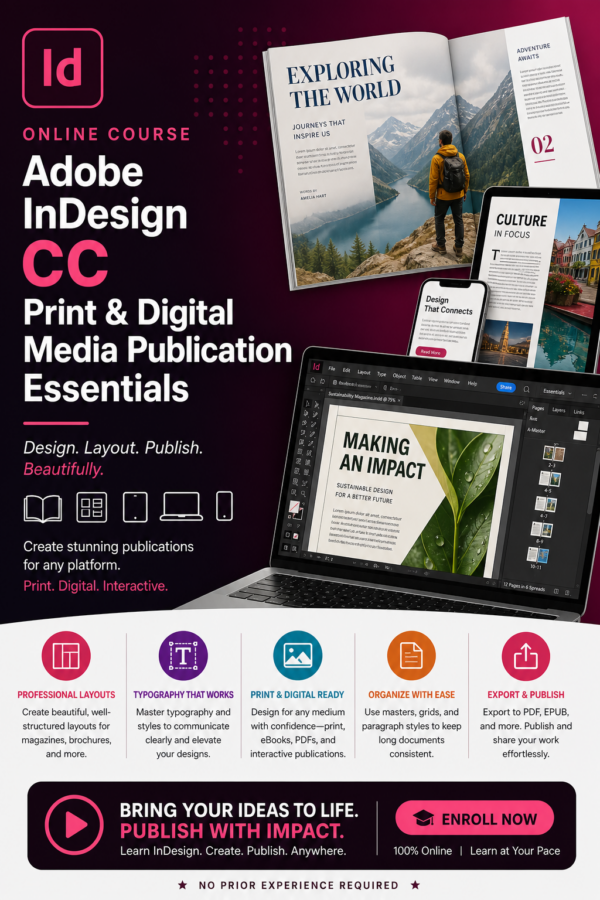
    Indesign online course. Adobe InDesign is a desktop publishing and typesetting software application produced by Adobe Inc. It is widely used for designing and producing print and digital publications, such as magazine, books, brochures and a lot more. Adobe InDesign is favoured by professionals in the publishing industry for its powerful tools and versatility in creating high-quality, polished documents suitable for both print and digital media.

    Adobe’s InDesign CC is the world’s leading document design application, setting the standard for industry-leading layout and page design software for print and digital media. With InDesign, you can create beautiful graphic designs with typography and imagery from Adobe Stock and quickly share content and feedback in PDF. InDesign has everything you need to create and publish stunning books, digital magazines, eBooks, posters, interactive PDFs and much more

    For the absolute beginner, the Indesign Online course is self-paced and highly-practical, teaching you the fundamental concepts and features through hands-on exercises and assignments and, if you have previous InDesign experience, we investigate and try out many advanced features, such as interactive presentations, nested styles, tables of content, anchored objects, and paths.

    The course comes with the wide range of sample documents and photographs you will need to practice all of InDesign’s important features and, by the end of the course, you will have worked with a variety of different documents, and you will be using InDesign like a professional.


    Qualification: Adobe Certified Professional (ACP) Print and Digital Media Publication Using Adobe InDesign CC Examination. (Optional Exam Required)
    Duration: 1-year course access & support included (120 hours Approx. overall)
    Start Date: Anytime – We enrol 365 days a year

    We have a full range of Adobe courses that may be of interest!
    Course Syllabus

    Unit 1: Getting Started

    • Introduction to the Course
    • Introducing the InDesign CC Software
    • Creating your First Document
    • Page Preparation
    • Page Setup
    • Working with Colour
    • Using Master Pages
    • Lesson Review & Quiz
    • Assignment 1 – Sports Illustrated Mini-Magazine


    Unit 2: Inserting & Managing Text

    • Introduction
    • Text Basics
    • Character Settings
    • Paragraph Settings
    • Managing and Editing Text
    • Paragraph and Character Styles
    • Lesson Review & Quiz
    • Assignment 2 – Creating a Newsletter.


    Unit 3: Images, frames, objects & tables

    • Introduction
    • Images and Frames
    • Working with Objects
    • Grouping and Arranging Objects
    • Inserting Tables
    • Working with Tables
    • Tables of Content
    • Indexing, and Books
    • Lesson Review & Quiz
    • Assignment 3 – Creating your own Photographic Magazine


    Unit 4: Advanced Features

    • Introduction
    • Transformations and Transparency
    • Creating Paths
    • Inserting Interactive Content
    • Printing, Exporting, and Publishing
    • Working with Libraries
    • Lesson Review & Quiz;
    • Assignment 4 – Creating an Interactive Quiz


    Unit 5: Finishing up

    • Introduction
    • Saving and Outputting Files
    • Plug-ins, Scripts, and More
    • Working in the Sesign Industry
    • Project Management Techniques
    • Lesson Review & Quiz
    • Assignment 5 – “Zine” Design Project
    • Adobe Certified Associate Program


    Entry Requirements

    Learners should have a working knowledge of their PC and operating system, including accessing the frequently-used menus and commands, and how to open, save, and close files.

    Computer & Software Requirements:

    To complete this course you will need a Windows or Apple Mac PC with at least 1gb of spare disk space and a subscription to Adobe’s Indesign CC software, with both Indesign CC and Bridge CC installed.

    Assessment

    You will be assessed on the completed assignments contained in the training programme. The coursework consists of a series of projects which will require you to produce work using the Adobe software package. These assignments are returned to the course tutor for feedback and assessment

    Optional Exam Voucher

    All students have the option to purchase Adobe Exam Vouchers for £156.00 which will cover the cost of the exam at participating exam centres. We keep this fee optional as not all learners will want to complete the Adobe exams.voucher to make sure a suitable participating exam centre is available.

    A voucher would be required for each Adobe exam you sit. An additional proctoring fee will also need to be paid to the exam centre for each exam arranged.

    Please Note: It is the students responsibility to source suitable exam centres. We advise researching exam centres prior to purchasing an exam

    Candidates from UK, Ireland and Australia would need to arrange their exams through Prodigy Learning who are the Certiport exam solution provider for these locations. Candidates in other locations would need to contact the relevant Certiport Solution Provider for their Country.

    Please Note: Exam Centres will usually charge an additional proctoring fee (Approximately £15.00) for sitting exams.

    Course Outcome

    On successful completion of this course students will receive our Adobe Dreamweaver CC Essentials Certificate of Completion. Students can also apply for the Adobe Certified Professional (ACP) Print and Digital Media Publication Using Adobe InDesign CC exam.

    14 Day Money Back Guarantee

    Once course access has been provided you have 14 days to ensure this course meets your needs and requirements. If you are not happy for any reason at all, simply email our accounts department with your request to cancel on [email protected]. We will offer a full refund. No questions asked !

    Please note: Any request to cancel outside the 14 days cancellation period will be declined. We will not refund you under any circumstances outside of the legal 14 day cooling off period. If you have opted to finance your course with Payl8r finance you are legally obliged to pay the balance of your fees once the 14 day period expires.

    Our full T’s & C’s can be viewed here.