
Microsoft Excel Courses
Microsoft Excel Courses Online. Microsoft Excel is a spreadsheet application developed by Microsoft, and it’s part of the Microsoft Office suite of productivity software. Excel is widely used for organising, analysing, and visualising data.
Microsoft Excel is widely used in various fields, including finance, accounting, business analysis, project management, and education, due to its powerful data manipulation and analysis capabilities.
Whether you are a total beginner or consider yourself to be an Excel expert, we have you covered. Begin your education online today with one of our Microsoft Excel Courses online.
Showing all 3 results
-
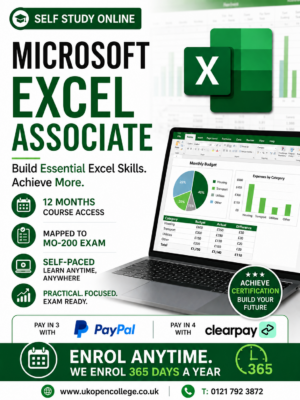
Microsoft Excel 2019/365 Online Course – Associate Qualification
£150.00The Microsoft Excel 2019 & 365 Associate Online Course is aimed at students who are interested in gaining skills of...Add to basket -
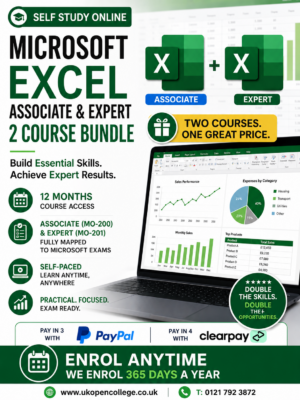
Microsoft Excel 2019/365 Online Course Bundle- Associate & Expert Qualifications
£250.00The Microsoft Excel 2019 & 365 Associate & Expert Online Course. Microsoft Excel is a widely used spreadsheet program developed...Add to basket -
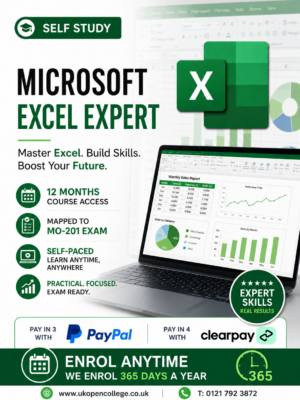
Microsoft Excel 2019/365 Online Course – Expert Qualification
£150.00The Microsoft Excel 2019 & 365 Expert Online Course is aimed at students who are interested in gaining advanced skills...Add to basket
Frequently Asked Questions
Microsoft Excel is a spreadsheet application developed by Microsoft, and it’s part of the Microsoft Office suite of productivity software. Excel is widely used for organising, analysing, and visualising data. Here are some key features and functionalities of Microsoft Excel:
- Spreadsheet Creation: Users can create spreadsheets consisting of rows and columns where data can be entered, manipulated, and analysed.
- Formulas and Functions: Excel supports a vast array of built-in functions (e.g., SUM, AVERAGE, VLOOKUP, IF) and allows users to create custom formulas for performing calculations on data.
- Data Analysis Tools: Tools like PivotTables, PivotCharts, and data analysis add-ins help in summarising and analysing large datasets.
- Charting and Graphing: Users can create a variety of charts and graphs, such as bar charts, line charts, pie charts, and scatter plots, to visualise data trends and patterns.
- Conditional Formatting: Allows users to format cells based on certain conditions, making it easier to highlight key data points or trends.
- Data Import and Export: Excel supports importing data from various sources, including databases, web pages, and other spreadsheets. It also allows exporting data to formats such as CSV, PDF, and XML.
- Data Sorting and Filtering: Tools for sorting data alphabetically, numerically, or by custom criteria, and filtering data to display only the information that meets specific conditions.
- Collaboration: Features for real-time collaboration, allowing multiple users to work on the same spreadsheet simultaneously.
- Macros and Automation: Support for creating and running macros to automate repetitive tasks using VBA (Visual Basic for Applications).
- Templates: Pre-built templates for various use cases, such as budgeting, invoicing, project management, and more.
Microsoft Excel is widely used in various fields, including finance, accounting, business analysis, project management, and education, due to its powerful data manipulation and analysis capabilities.
It will vary from learner to leaner, Some may complete in a matter of days with the right attitude. Others will simply log in occasionally over the 12 month access period. You have complete flexibility over your learning.
Our courses are mapped to the 2019 & 365 versions of excel.
Yes, absolutely. If you decide to take one of the optional examinations you will have proof of your skills from one of the biggest and respected organisations in the world. Microsoft qualifications are recognised and accepted globally.
Yes, no problem. Your course and exams if selected can all be done online, so these course can be taken from anywhere with an internet connection.